
Let’s find out if the best free AI image generators are really free? Remember just a couple of years ago when creating a stunning digital image required years of graphic design experience and expensive software? It felt like a walled garden, accessible only to a select few. Well, that garden wall has been completely demolished. Today, thanks to the explosion of AI-powered creativity, anyone with an idea can bring it to life in seconds. It’s a wild, exciting new frontier, and it’s no longer just for tech geeks and digital artists.
If you’re a marketer needing blog images, a hobbyist exploring your creative side, or just someone curious about what all the fuss is about, you’ve landed in the right place. The sheer number of tools available can be overwhelming, and many hide their best features behind a paywall. That’s why I’ve spent countless hours testing, prompting, and pushing the limits of dozens of platforms to create this definitive guide. My promise to you is simple: this article will cut through the noise and show you exactly which are the best free AI image generators for your specific needs in 2025.
We’ll be looking at everything—pure image quality, how generous each free plan really is, ease of use for total beginners, and any unique features that make a tool stand out.
In a hurry? Here are my top 3 picks for 2025:
- Best Overall Free Experience: Leonardo AI
- Best for Artistic Quality: Midjourney (with a caveat)
- Best for Ease of Use: DALL-E 3 (via Microsoft Copilot)
Let’s get into the details.
How We Tested and Ranked the Best Free AI Image Generators
Before we jump into the reviews, I want to be transparent about how I came to these conclusions. I believe that a good recommendation isn’t just about listing features; it’s about hands-on, real-world testing. Over the past decade, I’ve seen countless tech trends come and go, and I’ve learned that the only way to truly understand a tool’s value is to get your hands dirty.
Our Methodology
For this guide, my process wasn’t just a quick look at each platform’s homepage. I signed up for every single service and spent a significant amount of time generating a wide variety of images. To keep the comparison fair and consistent, I used a standardized set of prompts across all platforms. This helps to highlight the unique “personality” and strengths of each AI model.
Here are a few of the core prompts I used for testing:
- A Portrait Prompt: “Photorealistic portrait of a thoughtful elderly female librarian with silver hair, glasses perched on her nose, surrounded by dusty books, warm cinematic lighting, 8k detail.” This tests the AI’s ability to handle human features, detail, and lighting.
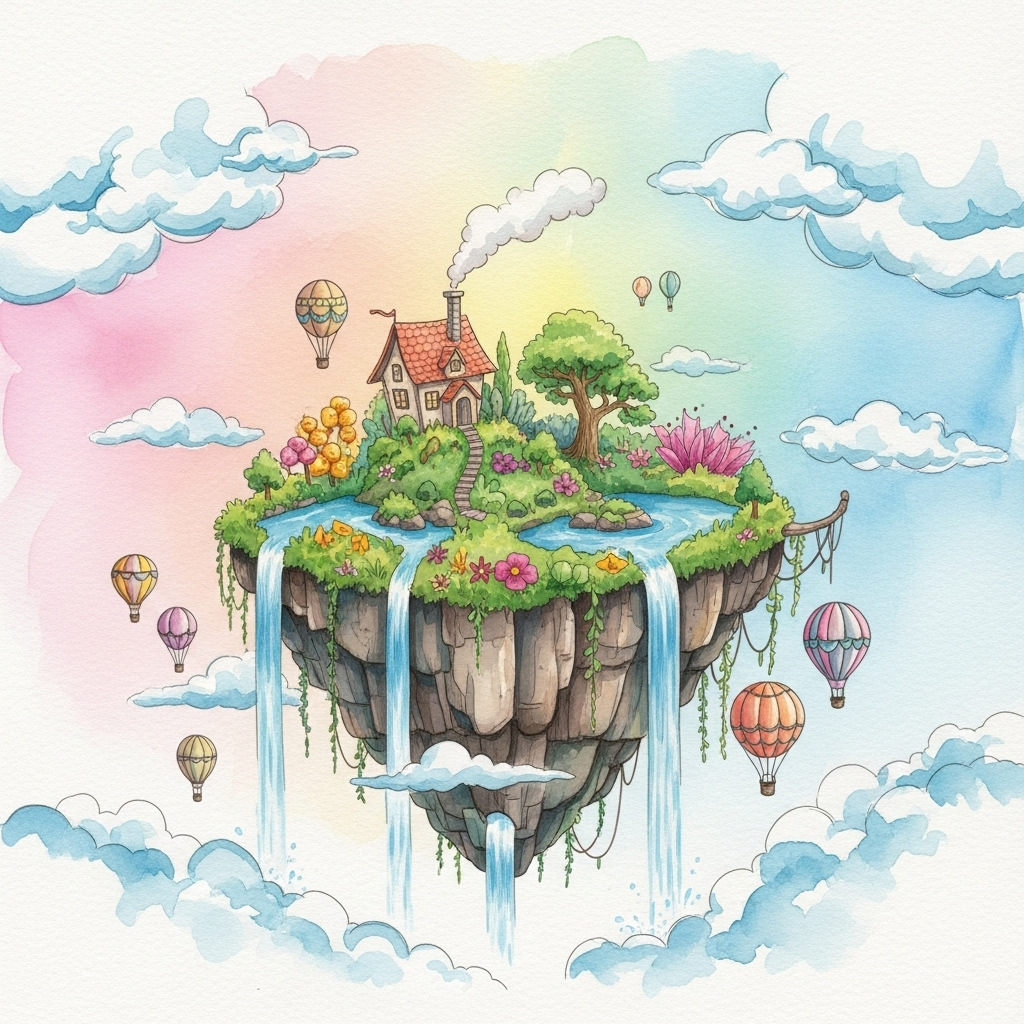
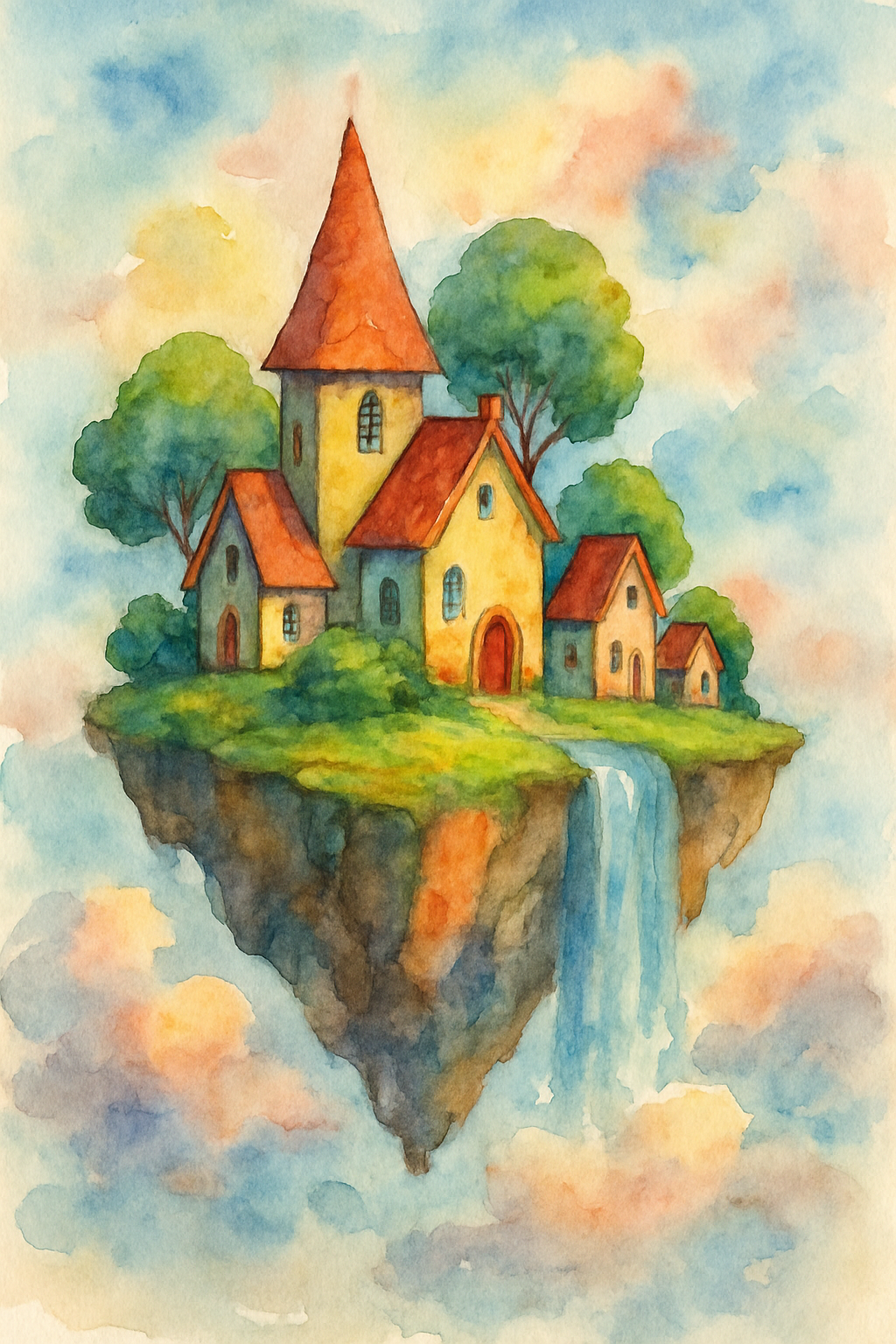
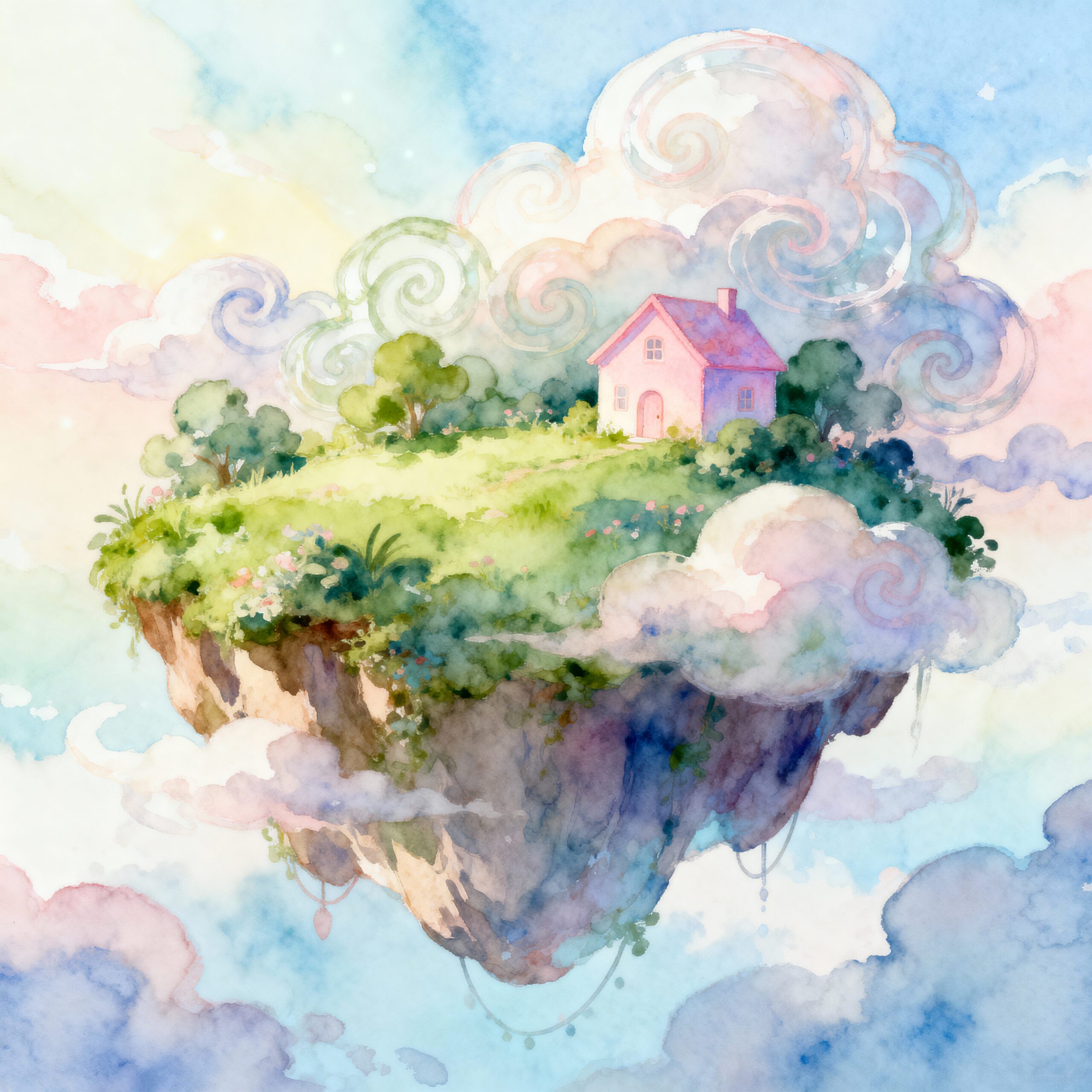
- A Landscape Prompt: “Whimsical watercolor painting of a floating island in the sky at sunrise, with waterfalls cascading into the clouds, vibrant pastel colors.” This tests creativity, artistic style adherence, and composition.
- An Object/Concept Prompt: “A sleek, futuristic electric motorcycle, studio shot, reflective surfaces, minimalist design, on a pure black background.” This tests the model’s understanding of specific objects and technical details.
- A Text-in-Image Prompt: “A retro-style diner sign with neon lights that clearly says ‘Cosmic Eats’.” This is a notoriously difficult task for many AI models and a great way to separate the contenders.
Beyond the raw output, I scored each generator on key factors:
- Quality & Adherence: How good did the image look? And more importantly, how well did it follow my instructions?
- Generosity of the Free Plan: How many images can you realistically create without paying? Do credits reset daily, monthly, or is it a one-time offer? Are there frustrating limitations?
- Speed: How long did it take to go from prompt to picture?
- User Experience (UX): Was the interface intuitive for a beginner? Or was it cluttered and confusing?
This rigorous, hands-on approach ensures that the recommendations you’re about to read are based on practical experience, not just marketing copy.
[ A comparison showing the same prompt ( “whimsical watercolor floating island”) generated by Leonardo AI, Mid Journey, and stable diffusion]
whimsical watercolor floating island
The Best Free AI Image Generators of 2025: In-Depth Reviews
Alright, let’s get to the main event. After all the testing, here are the top free AI image generators that are truly worth your time in 2025. I’ve broken down what makes each one special, who it’s perfect for, and, crucially, what you actually get for free.
1. Leonardo AI: Best Overall Free Experience
For the past year, whenever someone asks me where to start with AI images, my answer has been Leonardo AI. It strikes an incredible balance between power, ease of use, and one of the most generous free plans on the market. It’s more than just a generator; it’s a full creative suite.
What You Get for Free:
- 150 “Tokens” per day. These tokens reset every 24 hours. Generating a set of four standard images costs about 5-8 tokens, meaning you can create hundreds of images each month without paying a dime. This is, by far, one of the most sustainable free models available.
- Access to a huge library of community-tuned “Finetuned Models.” Want a consistent “pixel art” style or a “vintage photography” look? There’s a model for that.
- Use of advanced tools like “Alchemy” (their image upscaler and coherency booster) and “PhotoReal” for stunning realism, though these use more tokens.
- The ability to train your own custom model (a more advanced feature).
Pros:
- Incredibly Generous: The daily token reset means you can consistently use the platform for free, day after day.
- Finetuned Models: The community models are a game-changer. You don’t have to be a prompt expert to get a specific, high-quality style. You just pick a model and go.
- Feature-Rich: It includes an AI canvas for extending images (outpainting), upscaling tools, and a vibrant community feed for inspiration.
- Fast Generations: Images are typically generated in under 10 seconds.
Cons:
- Slight Learning Curve: With so many features, the interface can feel a bit busy for a first-time user compared to simpler options.
- Image Rights: Images created on the free plan are public and not for commercial use unless you subscribe to a paid plan.
Who It’s Best For:
Leonardo AI is perfect for hobbyists, artists, and anyone who wants to experiment deeply with AI image generation without hitting an immediate paywall. The daily token reset makes it a reliable tool for ongoing personal projects or social media content creation.
2. Midjourney: Best for Artistic and Stylized Images
Let’s be clear: Midjourney is the undisputed king when it comes to jaw-dropping, artistic, and beautifully composed images. For a long time, it has been the benchmark against which all other models are judged. Its “look” is so distinct that you can often spot a Midjourney image from a mile away. However, its “free” status is a bit complicated.
What You Get for Free:
- A Limited Free Trial (When Available). This is the big catch. Historically, Midjourney offered a free trial of about 25 generations through their Discord server. However, due to overwhelming demand, these trials are frequently paused. You need to check their Discord channel to see if they are currently active. When it’s on, it’s a fantastic way to experience the best, but it’s not a reliable, ongoing free service.
Pros:
- Unmatched Image Quality: Midjourney’s aesthetic is second to none. It excels at creating complex, beautiful, and often breathtakingly artistic images. Its understanding of composition and lighting is superb.
- Strong Community: The Discord-based workflow creates a vibrant community where you can see what others are creating in real-time and learn from their prompts.
- Powerful Parameters: It offers deep control through text-based parameters like
--arfor aspect ratio or--sfor stylization, which power users love.
Cons:
- Unreliable Free Access: The free trial is often turned off, making it unusable for many new users. This is its biggest downside.
- Discord-Only Interface: The entire process happens inside a Discord chat server. For those not familiar with Discord, this can be a confusing and chaotic user experience. There is no simple web interface.
- Steep Learning Curve: Mastering Midjourney’s prompt structure and parameters takes time and practice.
Who It’s Best For:
When the free trial is active, Midjourney is for artists, designers, and anyone who wants to see the absolute pinnacle of AI-generated art. It’s a “try before you buy” experience for those who prioritize artistic output above all else and are considering a paid subscription.
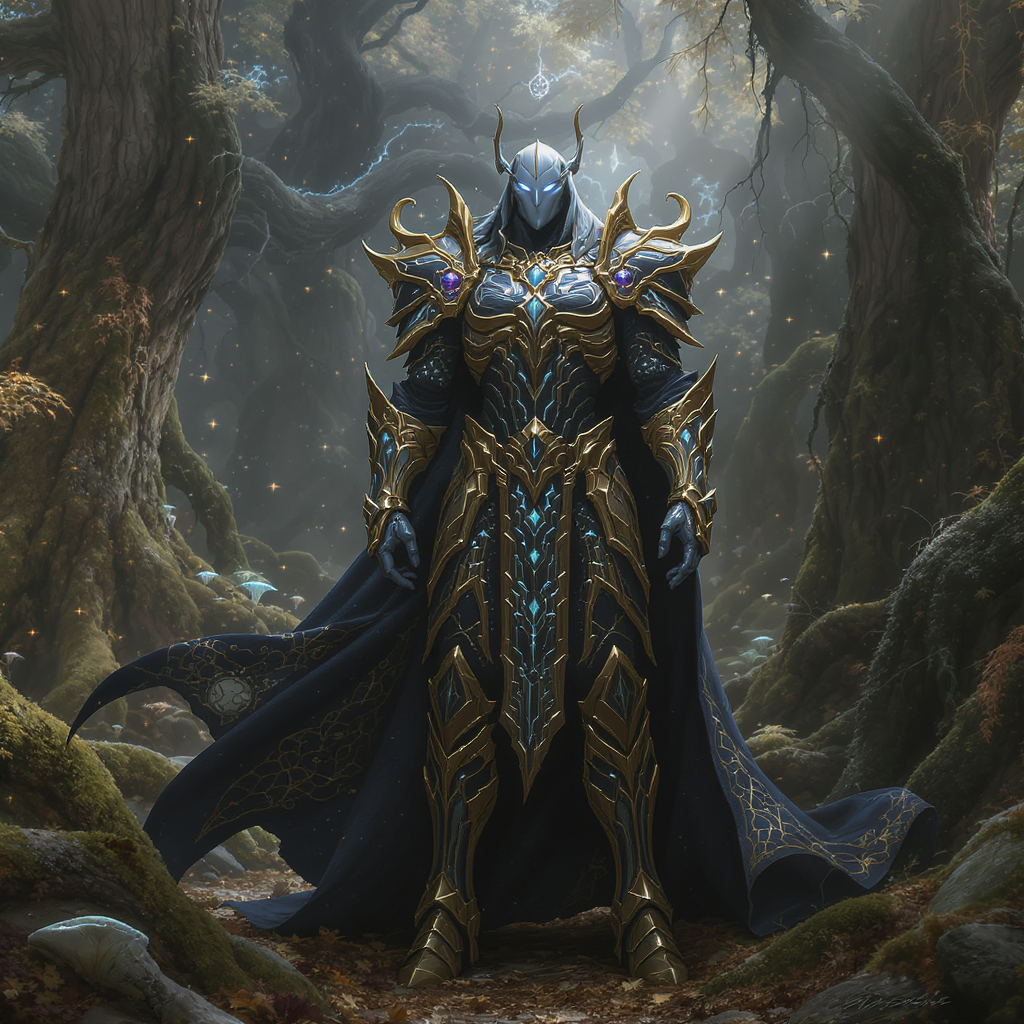
[Image: A stunning, hyper-detailed artistic image generated by Midjourney, showcasing its signature aesthetic. For example, a fantasy character in ornate armor standing in a mystical forest.]
3. DALL-E 3 (via Microsoft Copilot): Best for Ease of Use and Prompt Integration
DALL-E 3, from the creators of ChatGPT (OpenAI), is a powerhouse. Its greatest strength is its incredible ability to understand natural language. You can write long, conversational prompts, and it will follow your instructions with spooky accuracy. While access through OpenAI’s site requires a ChatGPT Plus subscription, there’s a fantastic backdoor: Microsoft Copilot.
What You Get for Free:
- Free, Unlimited Generations via Microsoft Copilot (formerly Bing Image Creator). Simply go to the Copilot website, sign in with a Microsoft account, and you can start creating images powered by DALL-E 3.
- You get “boosts” for faster generation, but even after they run out, you can still create images, they just might take a bit longer. In my experience, the wait is rarely more than a minute.
Pros:
- Superb Prompt Following: This is DALL-E 3’s killer feature. It understands complex sentences, prepositions, and relationships between objects better than most other models. If you ask for “a red cube on top of a blue sphere,” that’s exactly what you’ll get.
- Incredibly Easy to Use: The Copilot interface is clean and simple. You just type what you want to see. There are no complex settings to worry about.
- Integration with Chat: Because it’s part of Copilot, you can have a conversation to refine your image. You can say, “Okay, now make that character smile,” and it will understand the context.
- Great at Text: While not perfect, it’s one of the better models at rendering legible text within an image.
Cons:
- Less “Artistic” by Default: Compared to Midjourney, DALL-E 3’s default style can sometimes feel a bit more generic or “digital.” You need to be specific in your prompt if you want a particular artistic style.
- Stronger Content Filters: It has more aggressive safety filters, which can sometimes block seemingly harmless prompts.
Who It’s Best For:
DALL-E 3 via Copilot is the absolute best starting point for beginners. It’s also fantastic for anyone who needs to create very specific scenes and compositions, like marketers creating blog post illustrations or writers visualizing a scene from their story.
4. Adobe Firefly: Best for Ethical and Commercial Use
Adobe, the giant of creative software, has entered the AI space with a very compelling and responsible offering: Firefly. Its major selling point is that it was trained exclusively on Adobe Stock’s library of licensed images and public domain content. This has huge implications for safety and commercial use.
What You Get for Free:
- 25 “Generative Credits” per month. These credits are used across Adobe’s Firefly features, including text-to-image, generative fill (a Photoshop-like feature), and text effects. This is a monthly allowance, so it resets.
- Images generated on the free plan have a small, non-intrusive watermark.
Pros:
- Ethically Trained & Commercially Safe: Because it’s trained on licensed data, you can use Firefly-generated images commercially (even on the free plan, though with a watermark) without worrying about infringing on an artist’s copyright. This is a massive advantage for businesses.
- Excellent Photorealism: Firefly excels at creating realistic photos of people and objects. Its “Photo” setting is one of the best I’ve tested.
- Powerful “Generative Fill”: This feature is incredible. You can select a part of any image (even your own photos) and use a text prompt to add, remove, or change something in that area seamlessly.
- Integration with Adobe Suite: If you’re already an Adobe user, Firefly is being integrated directly into Photoshop, Illustrator, and Express, which is a huge workflow benefit.
Cons:
- Limited Monthly Credits: 25 credits can be used up quickly, especially if you’re experimenting a lot.
- Less Stylistically Diverse: Compared to Midjourney or Leonardo, it can be harder to achieve highly stylized or fantastical art. It leans heavily towards realism and corporate-friendly aesthetics.
- Watermark on Free Images: While small, the watermark is present on all free generations.
Who It’s Best For:
Marketers, small business owners, and corporate content creators who need commercially safe images. It’s also perfect for photographers and designers who want to use AI to edit their existing work with tools like Generative Fill.
5. Stable Diffusion (via DreamStudio): Best for Customization and Control
Stable Diffusion isn’t a single product like the others; it’s an open-source model. This means anyone can build an interface on top of it. For beginners, the best way to access it is through a platform like DreamStudio, created by Stability AI (the makers of the model). It offers a clean interface to tap into Stable Diffusion’s raw power.
What You Get for Free:
- A Starter Balance of 25 Credits. This is a one-time signup bonus, which is enough for about 125 standard images. These credits do not replenish, so it functions more like a free sample than an ongoing free plan. However, the open-source nature means there are other ways to use it for free (see below).
Pros:
- Unparalleled Control: Stable Diffusion gives you control over everything: the generation steps, the prompt adherence (CFG Scale), different sampling methods, and more. This is the tool for tinkerers.
- Massive Open-Source Community: The real power of Stable Diffusion lies in the community. People have trained thousands of custom models (checkpoints) on specific styles or characters, which you can use to generate incredibly unique images.
- Can Be Run Locally: If you have a powerful enough computer with a good graphics card, you can download and run Stable Diffusion locally for free, forever, with zero restrictions. This is a huge advantage for power users.
Cons:
- Complicated for Beginners: The sheer number of settings and concepts can be intimidating. DreamStudio simplifies it, but it’s still more complex than DALL-E 3.
- Limited Free Plan on Hosted Platforms: The “one-time” credit model on DreamStudio means you’ll eventually need to pay or move to a different platform.
- Coherency Can Be an Issue: Out of the box, the base Stable Diffusion model can sometimes struggle with details like hands or complex compositions compared to its more polished competitors.
Who It’s Best For:
Tech-savvy users, developers, and AI enthusiasts who want ultimate control and are willing to invest time in learning the system. It’s also for anyone with a good gaming PC who wants to run AI image generation locally with no limits.
6. Canva: Best for Integration into Design Workflows
You probably know Canva as the go-to tool for creating social media posts, presentations, and flyers. They’ve seamlessly integrated an AI image generator, called “Magic Media,” directly into their platform. This isn’t trying to be the most artistic or powerful generator; it’s designed to be the most convenient.
What You Get for Free:
- 50 “Lifetime” Credits. This is a one-time credit pack for text-to-image generation. It’s not a lot, but it’s enough to enhance several projects. (Note: Canva Pro users get more credits per month).
Pros:
- Perfect Integration: The biggest advantage is that the AI generator lives right inside the Canva editor. You can create an image and drop it directly into your design without ever leaving the tab.
- Extremely Simple to Use: The interface is foolproof. You type a prompt, pick a style (like “Photo,” “Dreamy,” or “Anime”), and generate.
- Part of a Larger Ecosystem: You can immediately use your generated image with Canva’s vast library of templates, fonts, and design elements.
Cons:
- Limited Free Credits: 50 credits for the entire life of your free account isn’t very generous. It’s designed to give you a taste and encourage you to upgrade.
- Average Image Quality: The image quality is good, but it generally doesn’t reach the artistic heights of Midjourney or the realism of Firefly. It’s functional rather than spectacular.
- Fewer Advanced Controls: You can’t tweak settings or use negative prompts. It’s a very basic implementation.
Who It’s Best For:
Existing Canva users, social media managers, and anyone who needs to quickly create decent-looking images for a specific design project (like a blog header or an Instagram post) without needing a standalone, high-powered tool.
7. Ideogram: Best for Generating Accurate Text in Images
For the longest time, getting an AI to write legible, correctly spelled text inside an image was nearly impossible. It would produce garbled, nonsensical characters. Ideogram burst onto the scene and changed that completely. It has a remarkable ability to render text, making it an invaluable tool for specific use cases.
What You Get for Free:
- 25 Generations (100 images) per day. Ideogram offers a generous free plan with a daily reset. Each prompt generates four images.
- Generations are slower for free users.
Pros:
- Best-in-Class Text Rendering: This is its superpower. If you need to create logos, posters, t-shirt designs, or memes with text, Ideogram is the best tool for the job, hands down.
- “Magic Prompt” Feature: It has a button to automatically enhance and add detail to your basic prompt, which is great for sparking new ideas and getting more creative results.
- Easy to Use Interface: The platform is very straightforward and focused on its core strength.
Cons:
- General Image Quality Lags a Bit: While it’s fantastic with text, its overall image generation for non-text prompts (like portraits or landscapes) can sometimes be a step behind the top-tier models like Midjourney or DALL-E 3 in terms of polish and realism.
- Slower Generation Speeds: The free queue can be a bit slow during peak times.
Who It’s Best For:
Graphic designers creating logos or mockups, marketers making ads with slogans, and anyone who wants to create images that reliably include coherent text. It’s a specialized tool that is the best in its niche.
[Image: A collection of four images generated by Ideogram, all featuring different styles (e.g., a logo, a t-shirt design, a movie poster) but each with perfectly rendered, correctly spelled text like “Sunrise Coffee Co.” or “Galaxy Quest”.]
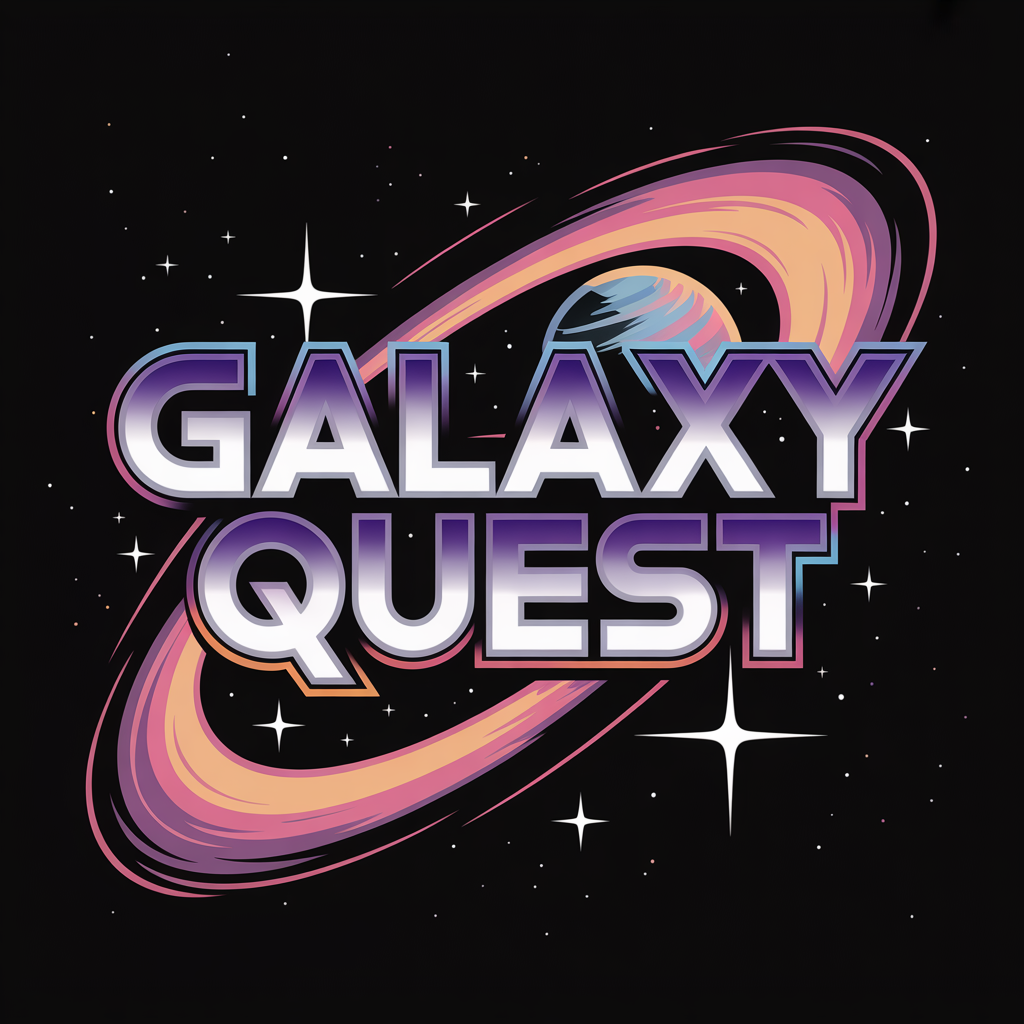
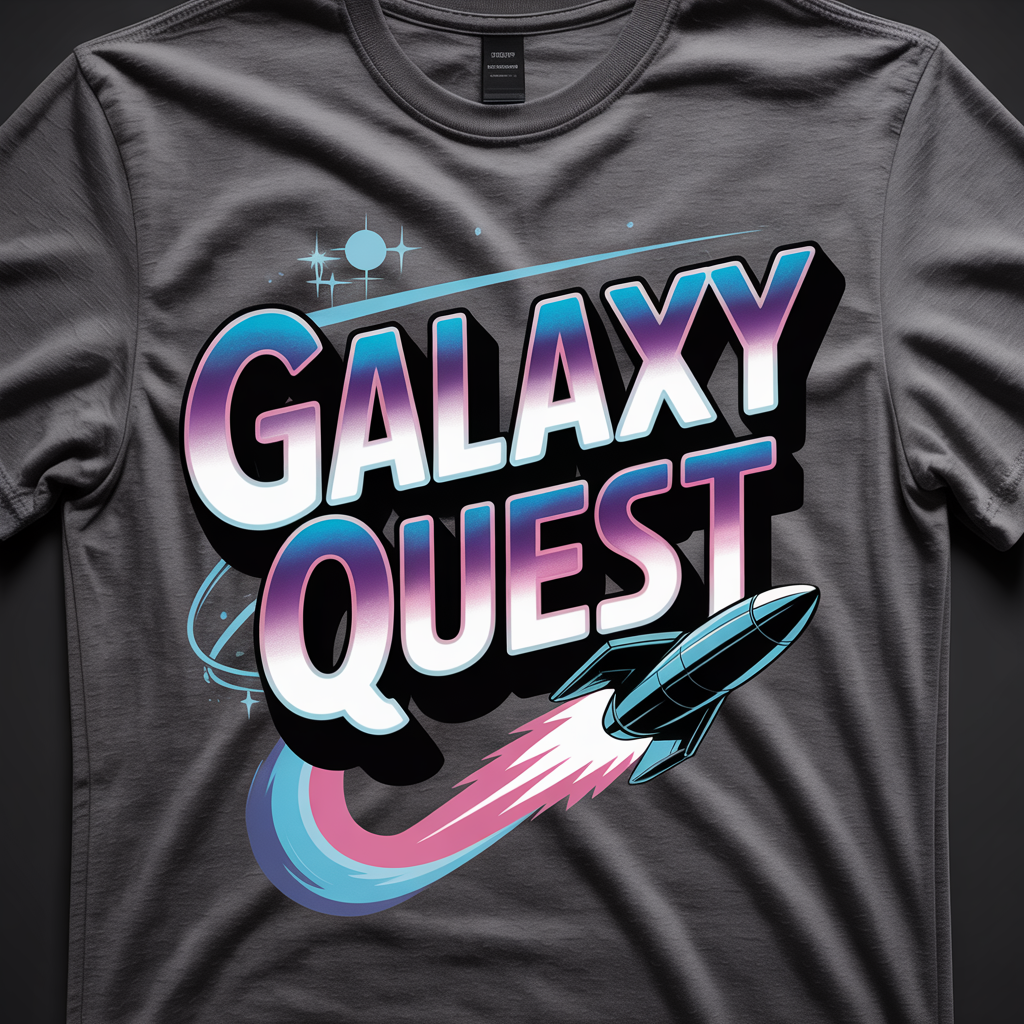
ideogram logo design ideogram T shirt design
8. Freepik AI Image Generator: Best for Access to Multiple Models
Freepik, a well-known resource for stock photos and design assets, has created a very clever AI image generator. Instead of just offering one model, it gives you access to several, including their own, plus Stable Diffusion and DALL-E 3, all within one simple interface.
What You Get for Free:
- 20 “Tickets” per day. A ticket generates a set of four images. This daily reset makes it a very usable free option.
Pros:
- Multiple Models in One Place: You can try out different AI models without having to create multiple accounts. This is great for comparing which model works best for your specific prompt.
- Live Generation: It has a unique “live” generation feature where you can see the image form in real-time as you type, offering instant feedback on your prompt.
- Great for Stock-Photo Styles: Given Freepik’s background, their in-house model is particularly good at creating clean, commercially-viable images that look like modern stock photography.
Cons:
- Interface Can Feel a Bit Cluttered: With all the options, it can feel a little less streamlined than some of the more focused tools.
- Quality Varies by Model: The experience can be inconsistent depending on which model you choose for your generation.
Who It’s Best For:
Users who want to experiment with different AI models without hopping between websites. It’s also great for content creators who need that polished, “stock photo” aesthetic for their blogs or websites.
Beyond the Basics – Advanced Tips and Trends
Choosing one of the best free AI image generators is just the first step. To truly get amazing results, you need to learn how to speak the AI’s language. Here are some tips and trends to keep in mind for 2025.
The Art of the Perfect Prompt: A Mini-Guide for 2025
The quality of your output is directly tied to the quality of your input. “A picture of a dog” will get you a generic dog. But a well-crafted prompt can create magic. Think of it like being an art director.
Key Components of a Great Prompt:
- Subject: Be specific. Not just “a car,” but “a vintage 1967 Ford Mustang, cherry red.”
- Style: This is crucial. Use words like “photorealistic,” “watercolor painting,” “3D render,” “anime style,” “cyberpunk,” “Art Deco.”
- Lighting: Describe the mood. “Soft morning light,” “dramatic cinematic lighting,” “neon glow,” “golden hour.”
- Composition: How is the scene framed? “Wide angle shot,” “close-up portrait,” “from a low angle.”
- Detail & Quality: Add “magic words” at the end. “Highly detailed, 8k, professional photography, masterpiece.”
Example in Action:
- Basic Prompt:
A knight fighting a dragon.- Result: You’ll get a generic, probably poorly composed image.
- Advanced Prompt:
Epic fantasy painting of a valiant female knight in gleaming silver armor, wielding a glowing sword, in a dynamic battle with a massive, fire-breathing black dragon. The scene is set on a crumbling castle bridge at night, with dramatic cinematic lighting, embers flying through the air, masterpiece, highly detailed.- Result: You’ll get a scene that looks like it’s straight out of a blockbuster movie.
Don’t Forget Negative Prompts
Most advanced generators (like Leonardo and Stable Diffusion) have a “negative prompt” field. This is where you tell the AI what you don’t want to see. It’s incredibly powerful for cleaning up results. Common negative prompts include:
poorly drawn hands, extra fingers, ugly, blurrytext, watermark, signaturecartoon, 2d, drawing(if you want a realistic photo)
The Rise of In-Image Editing and Style Consistency
The big trend for 2025 is moving beyond one-off image generations. Users now demand more control after the initial image is created.
In-Image Editing (Inpainting/Outpainting): This is the ability to select a part of a generated image and change it with a new prompt. Don’t like the hat your character is wearing? Just select it and type “a blue baseball cap.” Want to see more of the scene? Outpainting lets you extend the canvas in any direction, and the AI will fill in the blanks.
- Who’s leading here: Adobe Firefly’s Generative Fill is the industry standard, but Leonardo AI’s AI Canvas is also incredibly powerful and available on the free plan.
Style and Character Consistency: This has been the holy grail of AI art. How do you create the same character in different poses or scenes? Models are getting much better at this. Tools like Midjourney and Leonardo are introducing features (like “Style Reference” and “Character Reference”) that allow you to upload an image and say, “keep this style” or “keep this person’s face” for all future generations. This is a game-changer for creating comic books, storyboards, or consistent brand mascots.
Understanding Commercial Use and Copyright in AI-Generated Images
This is the big, complex question, and I’ll give you the straightforward, practical advice. Can you use images from free generators for your business?
The short answer: It depends entirely on the tool’s Terms of Service (TOS).
- The Safe Bet: Adobe Firefly is explicitly designed to be commercially safe. They guarantee that their training data is licensed, indemnifying users against copyright claims. If you’re a business, this is the safest route.
- The Pay-to-Play Model: Most other services, like Leonardo AI and Midjourney, state in their TOS that images created on the free plan are public domain (or licensed under a Creative Commons-style license) and cannot be used commercially. To get commercial rights, you must subscribe to a paid plan.
- The Open-Source Wild West: For models like Stable Diffusion, it’s more complicated. The base model is very permissive, but if you use a custom model trained by a community member, the rights might be different.
My Personal Advice: Always, always read the TOS for the specific service you are using. If you are creating images for a blog, a product, or any money-making venture, it is worth paying for a subscription to a tool that grants you clear commercial rights. Don’t risk your business over a few dollars a month.
The Future of AI Image Generation: What to Expect in 2025 and Beyond
This space is moving at a breakneck pace. What seems cutting-edge today will be standard tomorrow. Looking ahead, we can expect a few exciting developments.
First, the line between image and video will blur. We’re already seeing the first impressive text-to-video models (like OpenAI’s Sora). Soon, you’ll be able to generate an image and then animate it with a simple prompt like “make the waterfall flow” or “make the character walk forward.”
Second, 3D model generation will become mainstream. You’ll be able to type “a 3D model of a sci-fi spaceship for a video game” and get a file you can drop directly into a game engine or animation software.
Finally, expect deeper integration. AI image generation won’t just live on separate websites. It will be built into everything—your messaging apps, your presentation software, and even your phone’s camera app, allowing for real-time creative editing and generation. It’s an exciting time to be a creator.
Frequently Asked Questions (FAQ)
1. What is the absolute best free AI image generator with no restrictions?
Technically, the only way to get truly “no restrictions” is to run an open-source model like Stable Diffusion on your own powerful computer. This requires technical setup but gives you unlimited, free, private, and uncensored generations forever. For web-based tools, Leonardo AI offers the most generous and sustainable free plan with its daily token reset.
2. Can I use AI-generated images for my business for free?
It’s risky and generally not recommended. Most services reserve commercial rights for their paid subscribers. The one major exception is Adobe Firefly, which is trained on licensed data and is explicitly designated as commercially safe, though free images will have a watermark. Always check the terms of service.
3. Do free AI image generators add watermarks?
Some do, some don’t. Adobe Firefly adds a small, discreet watermark on its free plan. Most others, like Leonardo AI and Microsoft Copilot (DALL-E 3), do not add watermarks, even on their free tiers.
4. How many images can I create for free?
This varies wildly. With DALL-E 3 via Copilot, it’s effectively unlimited (though it may slow down after a while). With Leonardo AI, you get a daily allowance of 150 tokens, which is enough for dozens of image sets. Others like Canva or DreamStudio offer a one-time bucket of credits that, once used, are gone.
5. What is the easiest AI image generator for beginners?
Without a doubt, it’s DALL-E 3 via Microsoft Copilot. Its ability to understand natural, conversational language means you don’t need to learn complex “prompt engineering.” You just type what you want to see, just as you’d describe it to a person.
Your Creative Journey Starts Now
We’ve covered a lot of ground, from the artistic powerhouse that is Midjourney to the commercially-safe workhorse of Adobe Firefly, and the incredibly generous all-rounder, Leonardo AI. The world of AI image generation is vast and full of potential.
The most important takeaway is that the “best” tool is the one that fits your needs. Are you a blogger who needs quick, specific illustrations? DALL-E 3 is your friend. Are you a digital artist exploring new aesthetics? Leonardo AI’s custom models await. A small business owner needing safe ad creative? Adobe Firefly has you covered.
My final piece of advice is simple: experiment. All the tools on this list are free to try. Take an hour, sign up for my top 2 or 3 recommendations, and plug in the same prompt. See which one speaks to you. See which one brings your unique vision to life.
Now, go create something amazing. And if you create something you’re proud of, I’d love to hear about it in the comments below